



About HIPAA Dental Compliance for Offices and Dental Assistants

November 19, 2025
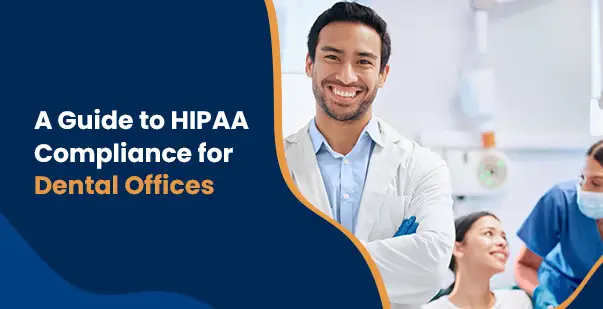
HIPAA compliance is no longer optional, it’s the foundation of patient trust. A recent Carrington College guide (August 2025) points out that dental offices must now use multi-factor authentication and strong encryption to meet the Health Insurance Portability and Accountability Act (HIPAA)’s Security Rule – no longer just best practice, but standard procedure. What was once considered best practice has officially become a standard procedure.
For many dental practices, the challenge isn’t intent but execution. Keeping up with evolving HIPAA requirements, securing digital records, managing networks, and documenting workflows can quickly feel overwhelming
This article breaks down the process of HIPAA dental compliance, showing dental offices how to address technical safeguards, manage office policies, and deliver the training needed to keep patient data safe.
What Does HIPAA Compliance Mean for Dental Offices?
HIPAA dental compliance is more than a legal box to tick – it’s a big part of building trust with patients. Dental assistants, who regularly handle sensitive protected health information (PHI), have a direct hand in making sure privacy rules are followed in the office.
Daily routines like updating charts or confirming appointments all tie into HIPAA requirements. It isn’t just about doing paperwork; it’s about using secure, approved practices that keep patient data private.
Key Safeguards
According to the HIPAA Security Rule, your whole team needs ongoing training. It’s not a one-and-done thing. On top of that, you have to set up strong digital defenses, such as multi-factor authentication (MFA), where employees use more than one method to log in, and encryption (which scrambles data so outsiders can’t read it).
Only authorized staff should touch or view PHI. That sometimes means using secure, encrypted emails or specialty dental software for sharing records.
Record-Keeping and Audits
Routine audits – whether you call in an expert or do it yourself – catch small problems before they turn into big headaches. Plus, being careful with what you write down matters: stick to necessary facts (not personal opinions or extra financial details) and keep everything current.
Dentists and staff should have physical safeguards, too. Think locked cabinets for paper charts, limited handling of files, and clear guidelines for shredding outdated documents.
By making privacy part of everyday routines, the whole team (especially dental assistants) builds a culture where compliance and patient trust go hand-in-hand. Stay alert to changing rules, review what’s working, and know that real HIPAA compliance is an ongoing habit – not a one-time fix.
Try posting regular reminders – sticky notes near workstations or short email tips – to keep HIPAA compliance front-of-mind for everyone. These nudges help turn good intentions into lasting habits.
| Safeguard Area | What to Do | Why It Matters |
| Staff Training | Provide ongoing HIPAA training for the whole dental team, not just once but regularly. | Keeps everyone updated on privacy practices and helps prevent slip-ups. |
| Digital Security | Enforce multi-factor authentication and use encryption for patient information. | Protects data from unauthorized access, in line with HIPAA’s Security Rule. |
| Access Control | Only let authorized staff view or handle Protected Health Information (PHI); use secure email or specialized dental software for sharing records. | Minimizes data breaches and keeps sensitive info safe. |
| Record-Keeping | Document only necessary medical facts (no personal opinions); keep records up-to-date and stick to required details. | Prevents mistakes, protects privacy, and keeps your practice audit-ready. |
| Physical Security | Store paper records in locked cabinets, limit who handles files, and shred outdated documents securely. | Adds another layer of protection for patient information beyond the digital realm. |
Why Does HIPAA Apply to Dentists and Dental Assistants?
HIPAA for dentists doesn’t just cover private offices – it stretches into dental schools and training programs, too. As classrooms introduce digital tools like electronic health records, intraoral scanners, or 3D imaging, managing data privacy has never been trickier.
Every new technology is a double-edged sword. Yes, it can improve patient care, but it also ups the risk to data security. Schools not only protect real patient information – they also need to teach future dentists to work safely with it.
Core Data Protection
Some actions are non-negotiable under HIPAA’s Security Rule:
- Data has to be encrypted both when it’s stored and when it’s sent elsewhere.
- Access must be limited, with staff and students getting only the permissions they need.
- Routine cybersecurity assessments are a must, so IT teams can patch weak spots fast.
Another must? Patient consent. Dental educators need to clearly explain how data – like digital scans or telehealth appointments – will be used, and make sure every patient signs off before anything new happens. Involving patients in this way is a key piece of building trust and meeting modern HIPAA dental compliance standards.
Ultimately, dental schools must weave HIPAA rules throughout every lesson using new technology. Setting this standard early on helps future dentists understand how to keep information safe, laying the groundwork for a privacy-first culture in the whole profession.
Practical tip: Get feedback from both students and staff after introducing any new tech. Ask what feels confusing or unsafe, and use that info to tweak your HIPAA protocols on the fly – real-world input makes your policies stronger.
Read More: HIPAA Security Rule for Healthcare
How Can Dental Offices Meet HIPAA Requirements for Digital Records?
Dental HIPAA requirements are evolving as technology gets smarter. Tools powered by AI (artificial intelligence) – like smart schedulers or image analyzers- can really help with daily work. But these tools also make data privacy more complicated.
Whenever a dental office moves PHI into new AI-based or cloud-based tools, strict procedures are needed to prevent leaks or mistakes. Compliance means running yearly audits – and after any big software change – to catch trouble before it grows.
Best Practices for Digital Data
To stay compliant, dental offices should build these safeguards into every upgrade or migration:
- Backup and encrypt: Before moving records, back them up. Encrypt every file before it gets transferred.
- Access controls: Limit access, so only trusted staff can move or see the info.
- Verification: Double-check that everything moved over correctly and is easy to restore.
- Ongoing training: Regular practice-wide training ensures everyone – dentists, assistants, front desk, even IT contractors – knows what’s expected of them.
- Reviews and policy updates: These done at least every quarter,help your office keep pace with changing HIPAA requirements and best practices.
In the end, digital upgrades shouldn’t just improve workflow – they need to make patient safety and privacy even stronger.
Don’t forget about vendor security, especially if you’re using cloud-based dental software. Have a clear checklist for vendors to prove their platforms meet HIPAA requirements and don’t be afraid to ask tough questions before signing any contract.
Which Practical Steps Ensure Ongoing Dental HIPAA Compliance?
Does HIPAA apply to dentists all the time? Absolutely – no matter the office setup. Whether at a solo practice, a large group, or a dental school, every patient detail (from name and address to health status or billing info) has to be protected.
HIPAA rules cover three main areas: paper records, digital files, and conversations about patient care. Each area has potential risks – so every team member needs to play a role.
Day-to-Day Operations
If your office uses electronic health records, you’ll want strong passwords, screens that lock automatically, and logs that show who accessed what and when. Keep privacy policies up-to-date, train staff often, and post patient rights notices where everyone can see them.
Any third-party vendor (for billing, IT, imaging, etc.) should sign a business associate agreement (BAA) and prove they follow HIPAA standards. Whether you’re sending info to a specialist or an insurance company, always double-check who’s getting it.
At the end of the day, following dental HIPAA requirements isn’t just about avoiding fines – it’s about running an office people genuinely trust. Caring for privacy is just as vital as caring for smiles.
Double-check your backup procedures for both digital and paper records – set a reminder on your calendar each month to make sure files have actually been saved where they should be and that paper charts are safely locked up.
How Can Regular Training and Audits Improve Patient Data Security?
Meeting dental HIPAA requirements is never a one-and-done job. It takes ongoing effort and a team that’s always ready to adapt.
Regular Check-ins and Drills
Schedule annual risk assessments – or more often if your office rolls out new software or technology. Run practice drills to prepare for security breaches, so your team is ready if something actually happens. Keep an eye on daily operations with internal audits, tweaking how you handle data as you go.
Training That Matters
Update training materials regularly, and make sure everyone – new hires and long-timers – knows new threats or policy changes. Reinforcing the basics, such as handling digital files securely or avoiding common mistakes with patient information, reduces human error, one of the top causes of data breaches in healthcare.
Building Trust Through Transparency
Open communication with patients about how their data is handled not only builds trust; it’s also a legal requirement.
A Culture of Compliance
Ultimately, the best offices see HIPAA as a journey, not a chore. The reward isn’t just avoiding headaches – it’s showing patients and the community that you take privacy, professionalism, and compliance seriously.
Consider letting staff anonymously share concerns or ideas about data security. Sometimes the people closest to daily tasks spot compliance issues early, but only speak up if the process feels safe and supportive.
Conclusion
HIPAA dental compliance is about everyday habits, not just paperwork. When your office manages digital and paper records carefully, uses security tools wisely, and trains staff regularly, you’re protecting your patients and building stronger relationships. Keep an eye out for updates to the law, review your process often, and encourage open conversations about privacy. Setting these standards sets your office apart and helps guarantee trust now – and in the future.
Want to strengthen your office’s compliance? Start by planning regular team check-ins, refreshing your training, and letting patients know their information is always protected.
Read More: Why HIPAA Security Awareness Training Matters for Compliance
FAQs
Q: Does HIPAA apply to dentists and dental assistants?
A: Yes, HIPAA dental compliance applies to the entire dental team. Dentists and dental assistants must follow dental HIPAA requirements, ensuring patient privacy by securing records, using secure communication channels, and receiving regular HIPAA training.
Q: What are the key dental HIPAA requirements for managing patient records?
A: HIPAA for dentists requires secure storage, multi-factor authentication, and encryption for patient records. Dental practices should avoid storing financial information and ensure all documentation is accurate and up-to-date, following established procedures.
Q: How often should dental offices conduct HIPAA compliance audits?
A: Dental HIPAA requirements recommend regular risk assessments and audits at least annually or after major system changes. Audits help dental offices identify risks and strengthen patient information security protocols.
Q: Why is HIPAA dental compliance important when using digital dental technologies?
A: HIPAA dental compliance protects patient privacy as dental offices adopt digital tools. Practices must obtain explicit patient consent, use encryption, establish data protection protocols, and provide education to address concerns and build patient trust.

HIPAA Courses
Recent Posts
Blockchain Healthcare Technology: HIPAA Compliant?
March 25, 2026

Does HIPAA Apply to Wearable Health Technology?
March 19, 2026
 Your Cart